A distributed database is a database in which data is stored across different physical locations. It may be stored in multiple computers located in the same physical location (e.g. a data centre); or maybe dispersed over a network of interconnected computers.
Some basic information and keyword
Master server
Slave Server
Foreign Table
Config file location:
postgres config file location vary from postgres version and server
To find where is config file location, do some simple command
find / -name “postgresql.conf”
find / -name “pg_hba.conf”
If you need more info, you can do some other search over the whole server
find / -name “postgre*”
Setting up the master server (VietNam ‘server)
We will use the foreign table ** feature of postgres to be able to access the **Lagos’s database tables remotely from the master server . To be able to do this, we should create the postgres_fdw extension in our database. This action should be done only by an administrator, so let’s connect to the database as the administrator postgres user and do:
/!\ There are many alternatives to foreign table use, such as the use of materialized views + triggers or postgres partitioning feature.
create extension postgres_fdw;
create server master_server foreign data wrapper postgres_fdw options (host ‘{ip address of the lagos postgres server}’, port ‘5432’ , dbname ‘dd_test’);
create user mapping for master_user server master_server options (user ‘{our username on lagos server}’, password ‘{our password on lagos server}’);
alter server master_server owner to master_user;
First, we create the extension postgres_fdw and after a “foreign data server” on the master postgres server. We now create a user mapping to be able to query the Lagos server.
Now, let’s create the foreign tables located on the master server which map to the shard on the Lagos servers.
drop foreign table if exists booksample_lagos cascade;
create foreign table booksample_lagos (check(location=’lagos’)) inherits(booksample) server master_server;
drop foreign table if exists lend_lagos cascade;
create foreign table lend_lagos () inherits(lend) server master_server;
In its actual state, the master server will fill the the table booksample and lend when a query like this is executed.
insert into booksample values(1, ‘new’,’paris’,1)
This is not a good behavior as the new partitions we created will not hold any data. To fix this situation, we will use “triggers” to redirect the row into their normal destination.
The trigger bellows is to redirect the booksample insertion into the correct partition: either booksample_lagos or booksample_paris based on the value of attribute location:
— trigger on insert booksample
create or replace function booksample_trigger_fn() returns trigger as
$$
begin
if new.location = ‘paris’ then
insert into booksample_paris values(new.*);
elsif new.location = ‘lagos’ then
insert into booksample_lagos values(new.*);
end if;
return null;
end
$$
language plpgsql;
drop trigger if exists booksample_trigger on booksample;
create trigger booksample_trigger before insert on booksample for each row execute procedure booksample_trigger_fn();
Now, we would like to redirect the queries on the table lend to the correct partition. Here we store the row into the site where the booksample belongs to.
create or replace function lend_trigger_fn() returns trigger as
$$
declare
vbooksample booksample%rowtype;
begin
— select the booksample referenced by the booksample_id
select * into vbooksample from booksample where id=new.booksample_id;
— get the location to use and save the row
if vbooksample.location = ‘paris’ then
insert into lend_paris values(new.*);
elsif vbooksample.location = ‘lagos’ then
insert into lend_lagos values(new.*);
end if;
return null;
endtut
$$
language plpgsql;
drop trigger if exists lend_trigger on lend;
create trigger lend_trigger before insert on lend for each row execute procedure lend_trigger_fn();
Our database is now functional.
Setting up the slave server (Singapore ‘s server)
Let’s create the database
create database dd_test;
Here we are going to set up the postgres server to listen to the other network interfaces. This is done by modifying the configuration file located at (on most Linux os)
vim /var/lib/pgsql/11/data/postgresql.conf
#——————————————————————————
# CONNECTIONS AND AUTHENTICATION
#——————————————————————————
# – Connection Settings –
listen_addresses = ‘*’ # what IP address(es) to listen on;
# comma-separated list of addresses;
# defaults to ‘localhost’; use ‘*’ for all
# (change requires restart)
The next step is to allow a user to connect through the network interfaces by modifying
vim /var/lib/pgsql/11/data/pg_hba.conf
# TYPE DATABASE USER ADDRESS METHOD
# IPv4 local connections:
host all test_user all md5
Let’s create now the partitions tables:
— booksample_lagos
drop table if exists booksample_lagos cascade;
create table booksample_lagos(id int, state varchar, lendable bool default false, location varchar, book_id int);
— lend_lagos
drop table if exists lend_lagos cascade;
create table lend_lagos(student_id int, booksample_id int, at date, returned_at date);
Keyword for distributed database
Distributed database
Kien truc he phan tan
co so du lieu phan tan (csdl phan tan)
Master server
Slave server
Foreign table
Foreign data
Foreign data wrapper (fdw)
User mapping
REFERENCE
https://dev.to/aurelmegn/setting-up-distributed-database-architecture-with-postgresql-261
https://www.postgresql.org/docs/9.5/sql-createforeigntable.html
https://www.postgresql.org/docs/9.3/ddl-foreign-data.html

Bài viết khác
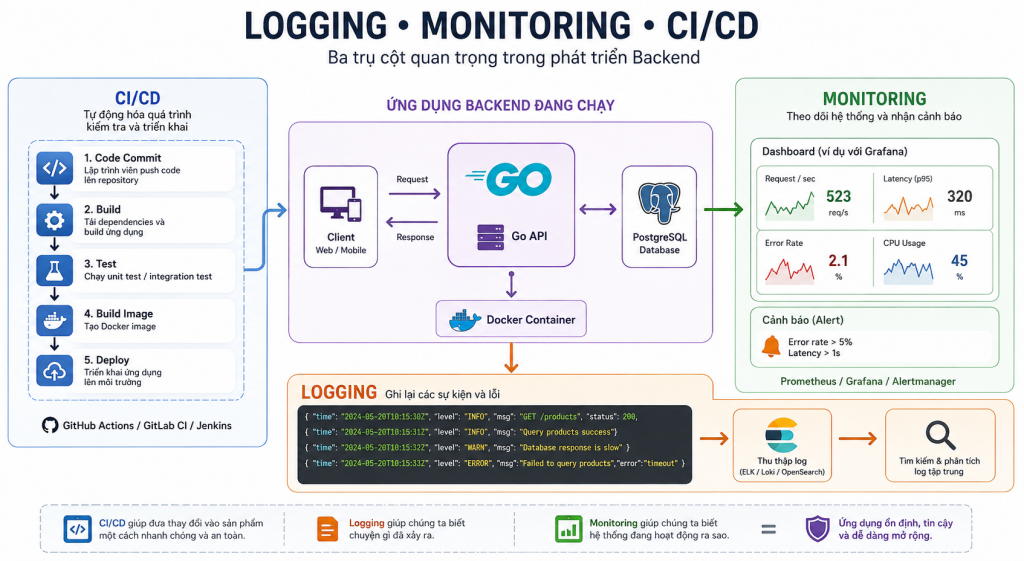
Logging – Monitoring – CI/CD
Logging, Monitoring và CI/CD là gì? Vai trò trong phát triển Backend 1. Tổng quan Khi xây dựng một ứng dụng Backend, viết code và chạy được chương trình mới chỉ là bước đầu. Khi ứng dụng được đưa vào sử dụng, lập trình viên còn cần biết ứng dụng đang hoạt động như thế […]
Docker là gì?
Docker là gì? Hướng dẫn sử dụng Docker trong Backend với Go 1. Docker là gì? Docker là nền tảng hỗ trợ đóng gói và chạy ứng dụng trong các môi trường độc lập gọi là container. Thay vì chỉ chia sẻ mã nguồn, lập trình viên có thể mô tả môi trường chạy ứng […]

Logging / Monitoring / CI/CD
1. Tổng quan: Ba thành phần giải quyết ba vấn đề khác nhau Khi một Backend chạy trên production, việc code hoạt động đúng trên máy local chưa đủ. Hệ thống cần có khả năng ghi nhận sự kiện, phát hiện sự cố và triển khai phiên bản mới một cách an toàn. Ba thành […]
Unit & Integration Testing
1. Unit Testing và Integration Testing là gì? Trong quá trình phát triển phần mềm, viết code để triển khai chức năng mới chỉ là một phần của công việc. Lập trình viên còn cần kiểm tra xem chương trình có hoạt động đúng theo yêu cầu hay không, đồng thời bảo đảm những thay […]
Docker
1. Docker là gì? Docker là nền tảng giúp đóng gói và chạy ứng dụng trong các môi trường được gọi là container. Một ứng dụng Backend thường phụ thuộc vào nhiều thành phần: Ngôn ngữ lập trình và runtime như Go, PHP hoặc Node.js. Thư viện và package. Database như PostgreSQL hoặc MySQL. Cache […]
Message Broker
Message Broker là gì? Vai trò của Message Broker trong Backend 1. Message Broker là gì? Message Broker là phần mềm trung gian cho phép các thành phần trong hệ thống trao đổi thông điệp với nhau mà không cần giao tiếp trực tiếp. Nó tiếp nhận thông điệp từ bên gửi, sau đó định […]

 Khoá học lập trình game con rắn cho trẻ em