Using Docker Machine, we can set up Docker hosts on local systems, on cloud providers, and other environments very easily. We’ll cover that in a different recipe.
How to To Install Docker on centos
$ yum -y install docker
How it works…
The preceding command will install Docker and all the packages required by it.
The default Docker daemon configuration file is located at
/etc/sysconfig/docker
which is used while starting the daemon.
ls -al /var/lib/docker
ls -al /var/lib/containerd
To verify the installation:
$ docker info
or just check : systemctl status docker
or Verify that Docker Engine is installed correctly by running the hello-world image.
sudo docker run hello-world
To start the service:
$ systemctl start docker
To update the package:
$ yum -y update docker
To enable the service start at boot time:
$ systemctl enable docker
To stop the service:
$ systemctl stop docker
For more detail, The installation document is on the Docker website at
https://docs.docker.com/installation/
Pulling an image and running a container
To pull an image, run the following command:
$ docker pull fedora
List the existing images by using the following command:
$ docker images
To search an image on a Docker registry, run the following command:
docker search TERM
For example, The following is an example to search a Fedora image:
$ docker search fedora | head -n5”
How to Exporting an image
Pull or import one or more Docker images on the Docker host.
Use the following syntax to save the image in the tar file:
$ docker save [-o|–output=””] IMAGE [:TAG]
For example, to create a tar archive for Fedora, run the following command:
$ docker save –output=fedora.tar fedora”
Importing an image
To import an image, we can use following syntax:
$ docker import URL|- [REPOSITORY[:TAG]]
Here’s an example using the preceding syntax:
$ cat fedora-latest.tar | docker import – fedora:latest
Alternatively, you can consider the following example:
$ docker import http://example.com/example.tar example/image”
Deleting an image
To remove the image from the host, we can use the docker rmi command. However, this does not remove images from the registry.
Make sure one or more Docker images are locally available.
To remove the image, consider the following syntax:
$ docker rmi [ OPTIONS ] IMAGE [IMAGE…]
In our case, here’s an example using the preceding syntax:
$ docker rmi nkhare/fedora:httpd”
Building images using Dockerfiles
Dockerfiles help us in automating image creation and getting precisely the same image every time we want it. The Docker builder reads instructions from a text file (a Dockerfile) and executes them one after the other in order. It can be compared as Vagrant files, which allows you to configure VMs in a predictable manner.
# Keyword
CI/CD, OpenShift, Drone, PaaS
# Ref
https://docs.docker.com/engine/install/centos/
https://topdev.vn/blog/docker-la-gi/

Bài viết khác
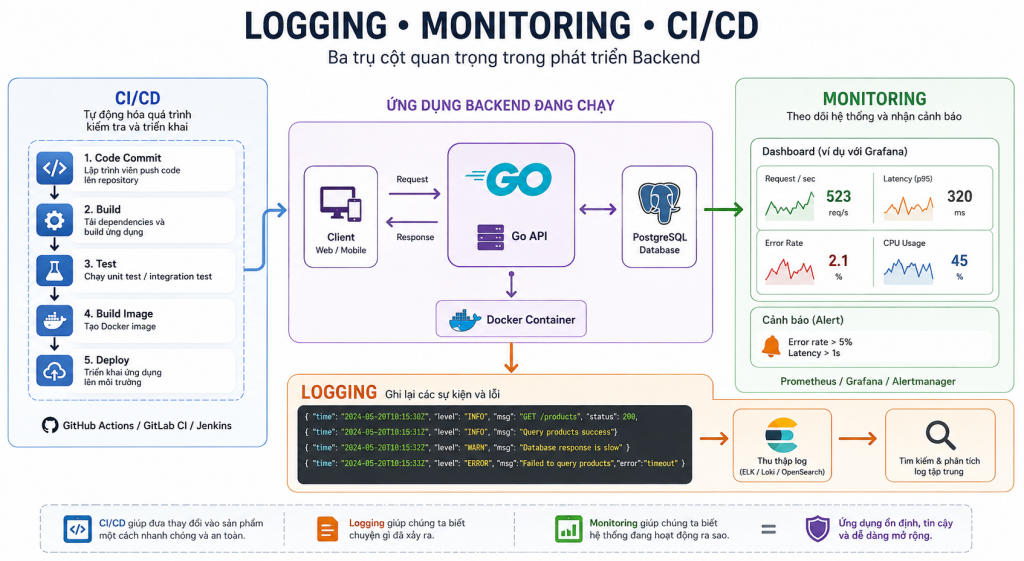
Logging – Monitoring – CI/CD
Logging, Monitoring và CI/CD là gì? Vai trò trong phát triển Backend 1. Tổng quan Khi xây dựng một ứng dụng Backend, viết code và chạy được chương trình mới chỉ là bước đầu. Khi ứng dụng được đưa vào sử dụng, lập trình viên còn cần biết ứng dụng đang hoạt động như thế […]
Docker là gì?
Docker là gì? Hướng dẫn sử dụng Docker trong Backend với Go 1. Docker là gì? Docker là nền tảng hỗ trợ đóng gói và chạy ứng dụng trong các môi trường độc lập gọi là container. Thay vì chỉ chia sẻ mã nguồn, lập trình viên có thể mô tả môi trường chạy ứng […]

Logging / Monitoring / CI/CD
1. Tổng quan: Ba thành phần giải quyết ba vấn đề khác nhau Khi một Backend chạy trên production, việc code hoạt động đúng trên máy local chưa đủ. Hệ thống cần có khả năng ghi nhận sự kiện, phát hiện sự cố và triển khai phiên bản mới một cách an toàn. Ba thành […]
Unit & Integration Testing
1. Unit Testing và Integration Testing là gì? Trong quá trình phát triển phần mềm, viết code để triển khai chức năng mới chỉ là một phần của công việc. Lập trình viên còn cần kiểm tra xem chương trình có hoạt động đúng theo yêu cầu hay không, đồng thời bảo đảm những thay […]
Docker
1. Docker là gì? Docker là nền tảng giúp đóng gói và chạy ứng dụng trong các môi trường được gọi là container. Một ứng dụng Backend thường phụ thuộc vào nhiều thành phần: Ngôn ngữ lập trình và runtime như Go, PHP hoặc Node.js. Thư viện và package. Database như PostgreSQL hoặc MySQL. Cache […]
Message Broker
Message Broker là gì? Vai trò của Message Broker trong Backend 1. Message Broker là gì? Message Broker là phần mềm trung gian cho phép các thành phần trong hệ thống trao đổi thông điệp với nhau mà không cần giao tiếp trực tiếp. Nó tiếp nhận thông điệp từ bên gửi, sau đó định […]

 Khoá học lập trình game con rắn cho trẻ em